





Digital Cockpit and Wireless App-Connect — 2026 Volkswagen Taos Tech Tips for New Braunfels, TX Drivers
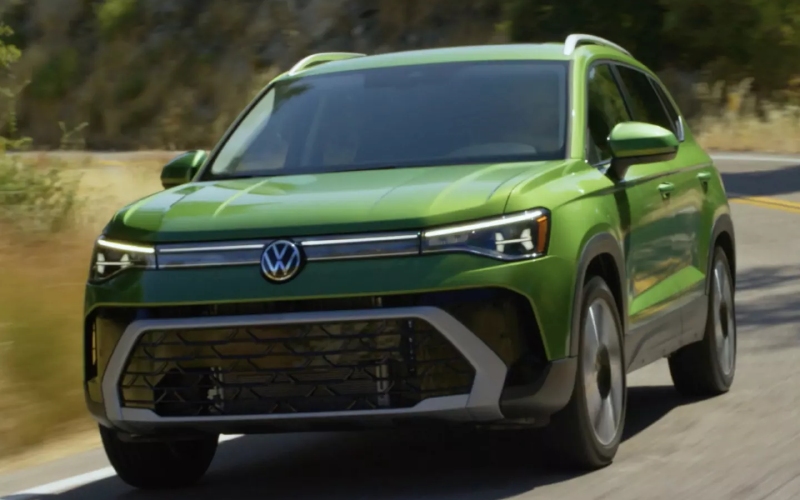
Ancira Volkswagen of San Antonio – Digital Cockpit and Wireless App-Connect — 2026 Volkswagen Taos Tech Tips for New Braunfels, TX Drivers
The 2026 Volkswagen Taos puts everyday tech right where you need it—front and center, easy to see, and even easier to use. If you spend a lot of time around New Braunfels, TX, from early starts on I-35 to quick turns off Walnut or Seguin Avenue, a clear, uncluttered interface matters. That’s where the standard Digital Cockpit and Wireless App-Connect® shine, making it simple to glance at key info and bring your go-to apps along without plugging in. Let’s walk through how these features work in your favor and the little things that make them a difference-maker on daily routes.
Why the Digital Cockpit Feels So Natural
Volkswagen’s Digital Cockpit rethinks your instrument panel as a crisp, configurable display. The essentials—speed, tachometer, trip data—are clean and legible. Beyond that, you can bring in navigation cues, driver-assistance indicators, or audio details. The benefit in real life is fewer glances across multiple screens and more of what you need directly in the cluster. This pays off when traffic bunches up between New Braunfels and San Antonio: it’s reassuring to have driver-assistance prompts like Lane Assist visible at a glance, while turn-by-turn guidance keeps you oriented in unfamiliar areas without bouncing your eyes back and forth.
Another thoughtful detail is how quickly the display responds. Transitions are smooth, information is prioritized logically, and the layout is genuinely readable at a quick look—important for keeping your attention on the road. You also get consistency across trims, so the Taos feels advanced from your very first interaction, even before you add available upgrades elsewhere in the cabin.
Wireless App-Connect: Small Feature, Big Impact
Wireless App-Connect® lets you bring compatible smartphone apps into the infotainment screen without a USB cable. On a busy morning, that’s one less step. When you are hopping in and out—school drop-offs near Landa Park or quick errands along Common Street—you’ll appreciate how your preferred maps, podcasts, and playlists are ready within moments. It keeps the center console uncluttered and prevents cable wear-and-tear over time.
Once paired, it’s also easy to hand off between drivers. If you and a partner alternate commutes or weekend plans, setting up both phones makes it simple to switch as needed. The navigation advantage is clear, too: bring the mapping app you’re used to, pick a favorite route, and rely on real-time traffic insights when the interstate crowds up near the river crossing.
Connectivity That Supports the Rest of Your Day
Tech that simplifies your day tends to fade into the background. The Taos takes that approach with features that help you prepare and adapt as plans change. Available wireless device charging is especially useful when you don’t want to think about battery levels. Just set your compatible phone down and let it top up while you drive to a meeting or a weekend game at Fischer Park. The cabin remains tidy and functional—no cords draped from the dash.
On family runs or carpools, the available Wi-Fi Hotspot capability can keep passengers connected for streaming or schoolwork. It’s also handy if your job has you fielding messages between stops around New Braunfels and into San Antonio. Combine that with the myVW app on properly equipped models for remote lock/unlock or remote start, and you begin to see how the Taos ties the routine together: precondition the cabin, step in, and your key info and apps are already where you expect them to be.
IQ.DRIVE® Complements the Tech Experience
Driver-assistance tools are most useful when they’re simple and intuitive. The Taos integrates IQ.DRIVE® so you can add features like Adaptive Cruise Control with Stop and Go to smooth out heavier traffic on I-35. Lane Assist can provide gentle steering inputs to help keep you centered, which is especially appreciated during longer drives between New Braunfels and appointments in San Antonio. Everything communicates clearly through the Digital Cockpit and infotainment system, so you always know what the vehicle is seeing and how it’s responding.
It’s clear, too, that Volkswagen calibrated these systems to support attentive drivers, not overwhelm them. Warnings are timely but not intrusive, and controls are within easy reach if you want to adjust how much help you prefer on a given trip. That balanced approach adds confidence without asking you to relearn the basics of driving your SUV.
Practical Tips for First-Time Taos Tech Users
- Pair your phone as soon as you take delivery to set Wireless App-Connect® preferences
- Customize your Digital Cockpit layout for the routes you drive most often
- Enable myVW notifications to simplify remote features and service reminders
- Try Adaptive Cruise Control on a familiar stretch of highway to learn how it behaves
- Save a few go-to navigation destinations for one-tap routing before a busy day
These quick steps help you make the most of your Taos from the first week. Most drivers discover they need fewer steps to get going each morning, and the interior stays cleaner and more organized when you aren’t swapping cables or piling gear around a cluttered console. It’s all small stuff, but when it’s part of every drive, it becomes a big improvement in the rhythm of your day.
Frequently Asked Questions:
Does the 2026 Taos include a standard Digital Cockpit?
Yes, the Taos includes a Digital Cockpit display, giving you modern, configurable driver information as standard.
Is Wireless App-Connect® available on all trims?
Wireless App-Connect® capability is offered across the lineup. Feature availability can vary by trim, so check the specific configuration you’re considering.
Can I get wireless charging in the Taos?
Available wireless device charging supports compatible smartphones, helping reduce clutter and keeping your device powered up.
How does IQ.DRIVE® help with New Braunfels traffic?
Available Adaptive Cruise Control with Stop and Go can help you maintain distance and reduce fatigue in heavier I-35 traffic, while Lane Assist helps keep you centered on longer drives.
Can the Taos support a Wi-Fi connection for passengers?
Yes, the Taos offers Wi-Fi Hotspot capability, which can be helpful for passengers during longer trips and for staying connected between stops.
When you’re ready to step into this technology firsthand, our team will walk you through setup and best practices so the Taos feels familiar from the very first drive. We understand how New Braunfels drivers move—short errands around town, busy school schedules, and regular trips toward San Antonio—and we can tailor recommendations to match your routines.
We’re dedicated to helping you choose the right 2026 Taos configuration and getting your tech preferences dialed in from day one. That means you’ll leave confident in what every button and screen does, and you’ll know how to adjust settings as your needs evolve. It’s an ownership experience built to be both simple and satisfying.
Ancira Volkswagen of San Antonio is proud to help you get the most from the tech-packed 2026 Taos, serving Alamo Heights, New Braunfels, and Seguin with guidance that focuses on how you actually drive and what you truly use every day.
0 comment(s) so far on Digital Cockpit and Wireless App-Connect — 2026 Volkswagen Taos Tech Tips for New Braunfels, TX Drivers